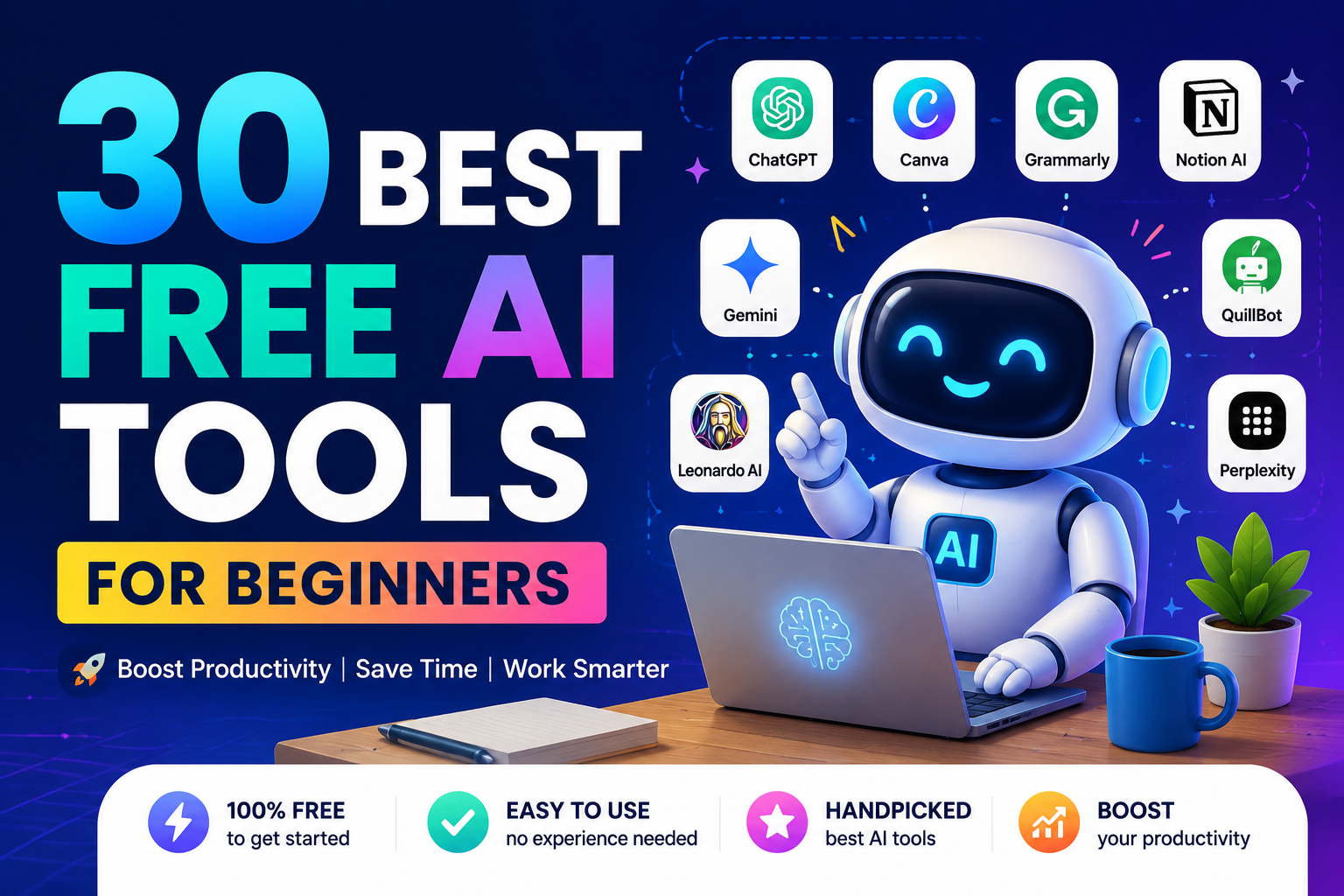
If you are looking for free Ai tools to use and make your life easier and increase productivity, this article got you covered. I have compiled 30 Ai tools that has a free version that you can start using today.
Artificial intelligence is no longer just for programmers and tech experts. Today, anyone with an internet connection can use AI tools to write content, edit photos, summarize videos, study faster, create designs, and improve productivity.
The best part is that many powerful AI tools are completely free to start using.
For beginners, AI can feel overwhelming at first because there are so many tools available online. Some focus on writing, others help with image creation, productivity, coding, or learning. Knowing where to begin is often the hardest part.
In this guide, we will explore some of the best free AI tools for beginners, what they do, and why they are worth trying.
Whether you are a student, blogger, freelancer, business owner, or simply curious about AI, these tools can help you save time and work smarter.
Why Beginners Should Start Using AI Tools
AI tools can help people:
- Write faster
- Learn new skills
- Improve productivity
- Generate ideas
- Automate repetitive tasks
- Create content more easily
Instead of replacing humans completely, most AI tools work best as assistants that help users complete tasks more efficiently.
For beginners, free AI tools are an excellent way to experiment and discover how artificial intelligence can improve daily life.
1. Google Gemini – Best All-Around AI Assistant
Gemini is Google’s AI assistant and integrates well with Google products like:
- Gmail
- Google Docs
- Google Drive
- YouTube
Gemini is especially useful for:
- Research
- Summarization
- Productivity
- Study help
Why Beginners Love It
- Familiar Google ecosystem
- Strong web-connected responses
- Helpful for students and office work
Best For
- Students
- Researchers
- Google Workspace users
Biggest Advantage
Its integration with Google tools makes workflows easier.
1. OpenAI ChatGPT – Best for Research and Productivity
One of the most popular AI tools in the world is ChatGPT.
ChatGPT can help users:
- Write articles
- Generate ideas
- Answer questions
- Summarize information
- Create emails
- Explain difficult topics
- Help with coding
Its conversational style makes it very beginner-friendly.
Why Beginners Love It
- Easy to use
- Natural conversations
- Useful for many tasks
- Great for learning and productivity
Best For
- Students
- Writers
- Freelancers
- Everyday users
Biggest Advantage
It can handle many different tasks in one place.
3. Canva AI Tools – Best for Design Beginners
Many people know Canva as a graphic design platform, but it now includes powerful AI features.
Canva’s AI tools can help users:
- Generate presentations
- Create social media graphics
- Remove image backgrounds
- Generate AI images
- Design logos
- Create videos
The platform is extremely beginner-friendly.
Why Beginners Love It
- Drag-and-drop simplicity
- Free templates
- Easy AI-powered design features
Best For
- Content creators
- Students
- Small business owners
- Social media users
Biggest Advantage
You do not need professional design skills.
4. Grammarly – Best for Writing and Grammar
Grammarly is one of the most useful AI writing assistants for beginners.
It helps users:
- Correct grammar mistakes
- Improve sentence clarity
- Rewrite awkward text
- Improve tone and readability
Grammarly works directly inside browsers and apps.
Why Beginners Love It
- Real-time corrections
- Easy explanations
- Works almost everywhere online
Best For
- Students
- Bloggers
- Professionals
- Email writing
Biggest Advantage
It improves both writing quality and confidence.
5. Notion AI – Best for Organization and Productivity
Notion AI combines note-taking with artificial intelligence.
It can:
- Summarize notes
- Generate ideas
- Create outlines
- Organize information
- Improve productivity
Many students and professionals use it to manage tasks and projects.
Why Beginners Love It
- Clean interface
- Easy organization
- Helpful AI summaries
Best For
- Students
- Productivity enthusiasts
- Project planning
Biggest Advantage
It combines organization and AI in one workspace.
6. Perplexity AI – Best for Simple Research
Perplexity AI is an AI-powered search assistant that gives direct answers with sources.
Instead of showing only links like traditional search engines, it explains information clearly.
Why Beginners Love It
- Easy-to-understand answers
- Fast research
- Source citations
Best For
- Students
- Quick learning
- Everyday research
Biggest Advantage
It simplifies online research.
7. QuillBot – Best for Rewriting Text
QuillBot is popular for paraphrasing and rewriting content.
It helps users:
- Rewrite sentences
- Improve readability
- Avoid repetitive wording
- Summarize text
Why Beginners Love It
- Simple interface
- Fast rewriting
- Helpful writing suggestions
Best For
- Students
- Bloggers
- Academic writing
Biggest Advantage
It makes writing sound smoother and clearer.
8. Leonardo AI – Best Free AI Image Generator for Beginners
Leonardo AI allows users to create AI-generated artwork and graphics using text prompts.
You simply describe the image you want, and the AI generates it.
Example Prompt
“Create a futuristic city at sunset.”
Why Beginners Love It
- Easy image generation
- Beginner-friendly controls
- Great visual quality
Best For
- Content creators
- Designers
- YouTubers
- Social media creators
Biggest Advantage
It helps users create stunning visuals without design experience.
9. CapCut AI Tools – Best for Video Editing
CapCut includes AI-powered video editing features that help beginners create professional-looking videos.
Features include:
- Auto captions
- AI voiceovers
- Background removal
- Smart editing tools
Why Beginners Love It
- Free to use
- Beginner-friendly editing
- Great for TikTok and YouTube
Best For
- Video creators
- TikTok users
- YouTubers
Biggest Advantage
It makes video editing much easier for beginners.
10. ElevenLabs – Best for AI Voice Generation
ElevenLabs is one of the most impressive AI voice tools available today.
It can generate highly realistic voices for:
- Videos
- Audiobooks
- Narration
- Content creation
Why Beginners Love It
- Natural-sounding voices
- Easy setup
- High-quality audio
Best For
- YouTubers
- Podcasters
- Content creators
Biggest Advantage
It produces human-like voiceovers.
11. Copy.ai – Best for Marketing Content
Copy.ai helps users generate:
- Social media captions
- Product descriptions
- Blog ideas
- Ad copy
- Email marketing content
It is especially useful for small businesses and content creators.
Best For
- Bloggers
- Marketers
- Small business owners
Biggest Advantage
It quickly generates marketing content ideas.
12. Jasper – Best for Professional Content Writing
Jasper is a popular AI writing platform used by businesses and professional creators.
It can help with:
- SEO articles
- Brand content
- Marketing campaigns
- Long-form writing
Best For
- Businesses
- Professional bloggers
- Marketing teams
Biggest Advantage
Strong long-form content generation.
13. Gamma – Best for AI Presentations
Gamma helps users create beautiful presentations using AI.
Instead of designing slides manually, users simply type what they want, and Gamma generates presentation layouts automatically.
Best For
- Students
- Professionals
- Business presentations
Biggest Advantage
Fast AI-powered presentation creation.
14. Tome – Best for Storytelling Presentations
Tome combines AI with visual storytelling.
It can create:
- Presentations
- Pitch decks
- Reports
- Visual stories
Best For
- Entrepreneurs
- Creators
- Startup founders
Biggest Advantage
Makes presentations look modern and polished.
15. Otter.ai – Best for Transcribing Meetings and Lectures
Otter.ai converts spoken conversations into written text.
It can:
- Transcribe meetings
- Record lectures
- Create summaries
- Generate notes automatically
Best For
- Students
- Journalists
- Remote workers
Biggest Advantage
Saves time taking notes manually.
16. Descript – Best for Podcast and Video Editing
Descript allows users to edit videos and podcasts by editing text.
It also includes:
- AI voice cloning
- Automatic captions
- Background noise removal
Best For
- YouTubers
- Podcasters
- Video creators
Biggest Advantage
Makes editing easier for beginners.
17. Runway – Best for AI Video Creation
Runway is one of the most exciting AI video tools available today.
It can:
- Generate videos from text
- Remove backgrounds
- Create special effects
- Edit videos using AI
Best For
- Filmmakers
- Content creators
- Creative beginners
Biggest Advantage
Powerful AI video generation features.
18. Poe – Best for Accessing Multiple AI Models
Poe allows users to interact with multiple AI models in one app.
You can compare responses from:
- ChatGPT
- Claude
- Gemini-like assistants
- Other AI bots
Best For
- AI learners
- Researchers
- Curious beginners
Biggest Advantage
Access to multiple AI assistants in one place.
19. Replit – Best for Learning Coding With AI
Replit helps beginners learn programming using AI coding assistance.
Users can:
- Write code
- Build apps
- Get AI coding help
- Learn programming interactively
Best For
- Beginner programmers
- Students
- Future developers
Biggest Advantage
Makes coding more beginner-friendly.
20. GitHub Copilot – Best AI Tool for Developers
GitHub Copilot helps programmers write code faster.
It can:
- Suggest code
- Complete functions
- Explain programming concepts
Best For
- Developers
- Coding students
Biggest Advantage
Speeds up coding dramatically.
21. Beautiful.ai – Best for Professional Slide Design
Beautiful.ai automatically improves slide layouts and presentation design.
Best For
- Business presentations
- Students
- Professionals
Biggest Advantage
Makes presentations look professional instantly.
22. Synthesia – Best for AI Avatar Videos
Synthesia allows users to create videos using AI avatars and voiceovers.
You simply type a script, and the AI presenter speaks it.
Best For
- Training videos
- YouTube creators
- Business explainers
Biggest Advantage
No camera or microphone required.
23. Lumen5 – Best for Turning Articles Into Videos
Lumen5 converts written blog posts into videos automatically.
Best For
- Bloggers
- Social media creators
- Marketers
Biggest Advantage
Turns content into videos quickly.
24. Remove.bg – Best for Removing Image Backgrounds
Remove.bg instantly removes photo backgrounds using AI.
Best For
- Designers
- Online sellers
- Content creators
Biggest Advantage
One-click background removal.
25. Fireflies.ai – Best for Meeting Summaries
Fireflies.ai records, transcribes, and summarizes meetings automatically.
Best For
- Teams
- Remote workers
- Students
Biggest Advantage
Automatic meeting notes and summaries.
26. Durable – Best for Building Websites Quickly
Durable uses AI to create websites in minutes.
Users simply answer a few questions, and the platform generates:
- Website layouts
- Business text
- Design elements
Best For
- Small businesses
- Freelancers
- Beginners
Biggest Advantage
Fast AI-powered website creation.
27. Character.AI – Best for Fun AI Conversations
Character.AI allows users to chat with AI personalities and fictional characters.
Best For
- Entertainment
- Creativity
- Experimenting with AI
Biggest Advantage
Interactive AI personalities.
28. Krisp – Best for Clear Audio Calls
Krisp removes background noise during calls and recordings.
Best For
- Online meetings
- Remote work
- Students
Biggest Advantage
Cleaner audio quality.
29. SlidesAI – Best for Google Slides Users
SlidesAI creates presentations directly inside Google Slides.
Best For
- Students
- Teachers
- Office workers
Biggest Advantage
Fast presentation creation inside Google Workspace.
30. Taskade – Best for AI Productivity and Collaboration
Taskade combines:
- Task management
- AI assistance
- Collaboration tools
- Workflow automation
Best For
- Teams
- Students
- Productivity enthusiasts
Biggest Advantage
All-in-one productivity workspace with AI.
Tips for Beginners Using AI Tools
1. Start Small
Do not try to learn every AI tool at once. Start with one or two tools that solve your biggest problems.
2. Use Free Versions First
Most AI tools offer free plans that are enough for beginners to explore features before upgrading.
3. Learn Prompt Writing
Better prompts usually produce better results.
Instead of:
“Write something about business.”
Try:
“Write a beginner-friendly article explaining how students can start an online business.”
4. Combine Multiple AI Tools
Many people use several AI tools together.
For example:
- ChatGPT for writing
- Canva for design
- CapCut for video editing
This creates a powerful workflow.
Conclusion
AI tools are becoming easier, smarter, and more accessible every day. You no longer need advanced technical skills to benefit from artificial intelligence.
For beginners, the best approach is to:
- Start with free tools
- Experiment regularly
- Focus on practical use cases
- Learn step by step
Whether you want to improve productivity, create content, study faster, or start an online business, AI tools can help you work smarter and save time.
The AI revolution is only beginning, and learning how to use these tools now can provide valuable advantages in education, business, and everyday life.
If you have any questions or contribution please use the comment section below and we will get back to you shortly.




Leave a Reply