If you are looking for the right Ai chrome extensions to make your life easier and your work faster, this article here got you covered.
Artificial intelligence is changing how people work, study, and communicate online. Today, you no longer need to spend hours writing emails, taking notes from YouTube videos, or correcting grammar mistakes manually. With the right AI-powered Chrome extensions, many of these tasks can be done in seconds.
The best part is that you do not need to be a tech expert to use them.
Whether you are a student, content creator, freelancer, business owner, or complete beginner, AI Chrome extensions can help you save time, improve productivity, and make online work easier.
In this guide, we will explore six beginner friendly Chrome extensions that are especially useful for:
- Summarizing YouTube videos
- Writing emails faster
- Improving grammar and writing
- Boosting productivity
- Simplifying everyday online tasks
Let’s dive in.
Why Use AI Chrome Extensions?
Chrome extensions are small tools you add to your browser to improve your online experience. AI-powered extensions go a step further by using artificial intelligence to automate tasks and assist with writing, reading, and research.
These tools can help you:
- Save time
- Work faster
- Write better
- Understand long videos quickly
- Reduce repetitive tasks
- Improve communication skills
For beginners, AI extensions are one of the easiest ways to start using AI in everyday life.
1. Grammarly: Best for Grammar and Writing Improvement
One of the most popular AI writing tools in the world is Grammarly.
Grammarly helps users:
- Correct grammar mistakes
- Fix spelling errors
- Improve sentence clarity
- Adjust tone
- Rewrite awkward sentences
It works directly inside your browser, meaning it can help while writing:
- Emails
- Social media posts
- Essays
- Blog articles
- Messages
For beginners, Grammarly is extremely useful because it explains mistakes clearly instead of simply correcting them silently.
Why Beginners Love It
- Easy to install
- Works almost everywhere online
- Real-time corrections
- Beginner-friendly suggestions
Best For
- Students
- Bloggers
- Professionals
- Non-native English speakers
Biggest Advantage
It improves both grammar and confidence in writing.
2. Compose AI: Best for Writing Emails Faster
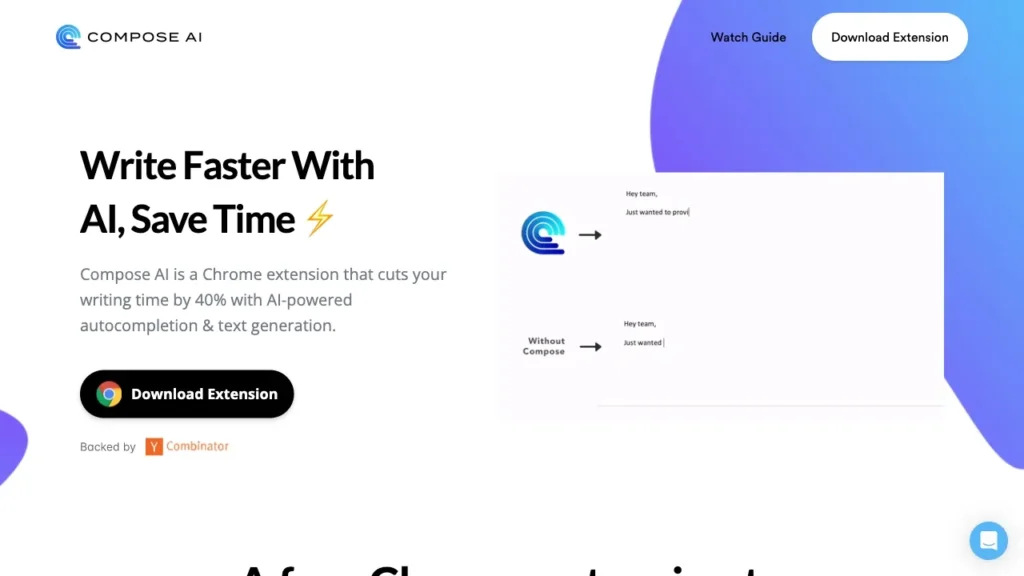
If you spend a lot of time replying to emails, Compose AI can save you hours every week.
This AI extension helps by:
- Autocompleting sentences
- Generating email replies
- Rewriting text
- Speeding up typing
Instead of typing entire emails manually, Compose AI predicts what you want to say and writes parts of it for you.
Why Beginners Love It
- Simple interface
- Saves typing time
- Helps users sound more professional
- Great for repetitive emails
Best For
- Office workers
- Freelancers
- Customer support
- Students sending applications
Biggest Advantage
It dramatically speeds up email writing.
3. Glasp: Best for Summarizing YouTube Videos

Watching long YouTube videos can take a lot of time, especially when you only need the key points.
Glasp helps solve this problem by summarizing YouTube videos quickly.
It can:
- Generate summaries
- Extract important points
- Highlight key ideas
- Help with note-taking
This is especially useful for students, researchers, and people learning online.
Why Beginners Love It
- Saves time
- Easy to use
- Makes learning faster
- Works directly on YouTube pages
Best For
- Students
- Online learners
- Researchers
- Busy professionals
Biggest Advantage
You can understand long videos in minutes instead of hours.
4. Merlin AI: Best All in One AI Assistant
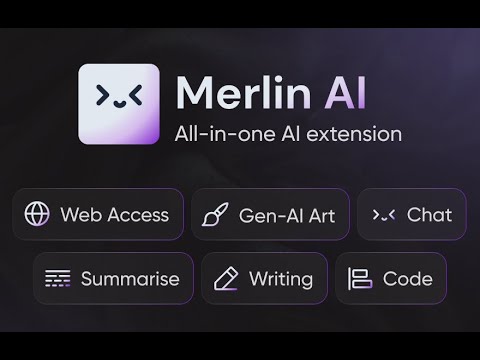
Merlin AI is one of the most versatile AI Chrome extensions available today.
It combines multiple AI features into one tool, including:
- Writing assistance
- Summarization
- AI chat
- Email drafting
- Webpage explanations
You can use it almost anywhere online.
Why Beginners Love It
- Many features in one extension
- Beginner-friendly interface
- Fast responses
- Works across websites
Best For
- Everyday internet users
- Students
- Professionals
- Content creators
Biggest Advantage
It acts like an AI assistant inside your browser.
5. Wordtune: Best for Rewriting and Improving Sentences
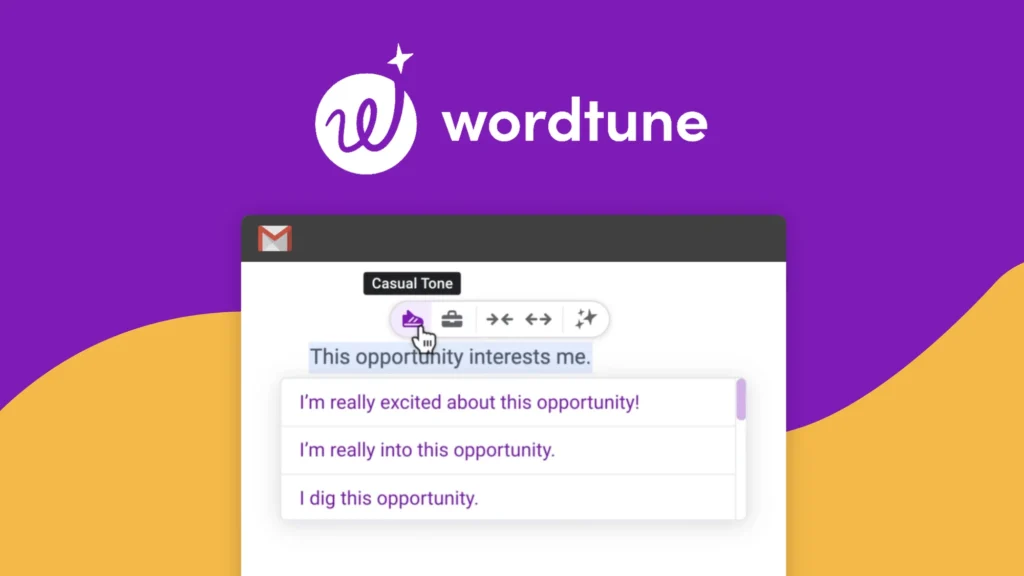
Sometimes your writing is grammatically correct but still sounds awkward or unclear.
That is where Wordtune becomes useful.
Wordtune helps users:
- Rewrite sentences
- Improve clarity
- Change tone
- Make writing more natural
It is especially helpful for people who struggle to express ideas clearly in English.
Why Beginners Love It
- One-click sentence rewrites
- Multiple rewrite options
- Makes writing sound more natural
- Very easy to use
Best For
- Bloggers
- Students
- Professionals
- Email writing
Biggest Advantage
It helps users sound clearer and more polished.
6. Gemini for Chrome: Best for Everyday AI Help
Many beginners want quick access to AI while browsing the internet. Geminni for Chrome makes that possible.
This extension can:
- Answer questions
- Summarize webpages
- Generate content
- Help with writing
- Explain difficult concepts
Instead of opening a separate website, you can access AI directly inside your browser.
Why Beginners Love It
- Convenient access
- Beginner-friendly
- Fast answers
- Useful for many tasks
Best For
- General users
- Students
- Researchers
- Writers
Biggest Advantage
It brings AI assistance directly into your browsing experience.
How to Choose the Right AI Chrome Extension
The best extension depends on your specific needs.
| Need | Best Extension |
|---|---|
| Grammar correction | Grammarly |
| Faster email writing | Compose AI |
| YouTube video summaries | Glasp |
| All-in-one AI assistant | Merlin AI |
| Sentence rewriting | Wordtune |
| Everyday AI help | Gemini for Chrome |
Tips for Beginners Using AI Extensions
1. Start With One Tool
Do not install too many extensions at once. Start with one or two that solve your biggest problems.
2. Use AI as an Assistant, Not a Replacement
AI tools are helpful, but you should still review important emails, essays, or business messages before sending them.
3. Protect Your Privacy
Avoid sharing sensitive passwords, banking details, or private information with AI tools.
4. Experiment With Free Versions
Most AI Chrome extensions offer free plans. Try them before paying for premium features.
Conclusion
AI Chrome extensions are making online work easier than ever before. What once required hours of effort can now be completed in minutes with the help of artificial intelligence.
For beginners, these tools are especially valuable because they:
- Reduce stress
- Improve productivity
- Make writing easier
- Help users learn faster
- Save time every day
Whether you want to summarize YouTube videos, write emails more efficiently, or improve your grammar, there is an AI extension designed for your needs.
The best approach is to start simple, experiment with different tools, and gradually discover which AI assistant fits your workflow best.
Please if you have any questions, feel free to use the comments section below we will get back to you shortly with an answer, thank you.





Leave a Reply